TabMod — the fast tab manager & session saver for Chrome

Save every open tab in one click. Search them instantly. Restore any session after a crash. A lightweight, privacy-first OneTab alternative that doesn't strand you on one computer.

◈ Privacy-first: all data stays on your device by default  ·  No account required  ·  No tracking scripts

TabMod popup showing saved tab lists and workspaces

Built for people with 50+ tabs open

Most tab managers save your tabs and stop there. TabMod keeps them searchable, organized, and recoverable — without the bloat.

▶ One-click save & restore

Hit Save All (or Alt+Shift+A) to collect every tab across every window and free the memory instantly. Restore one tab, one list, or everything.

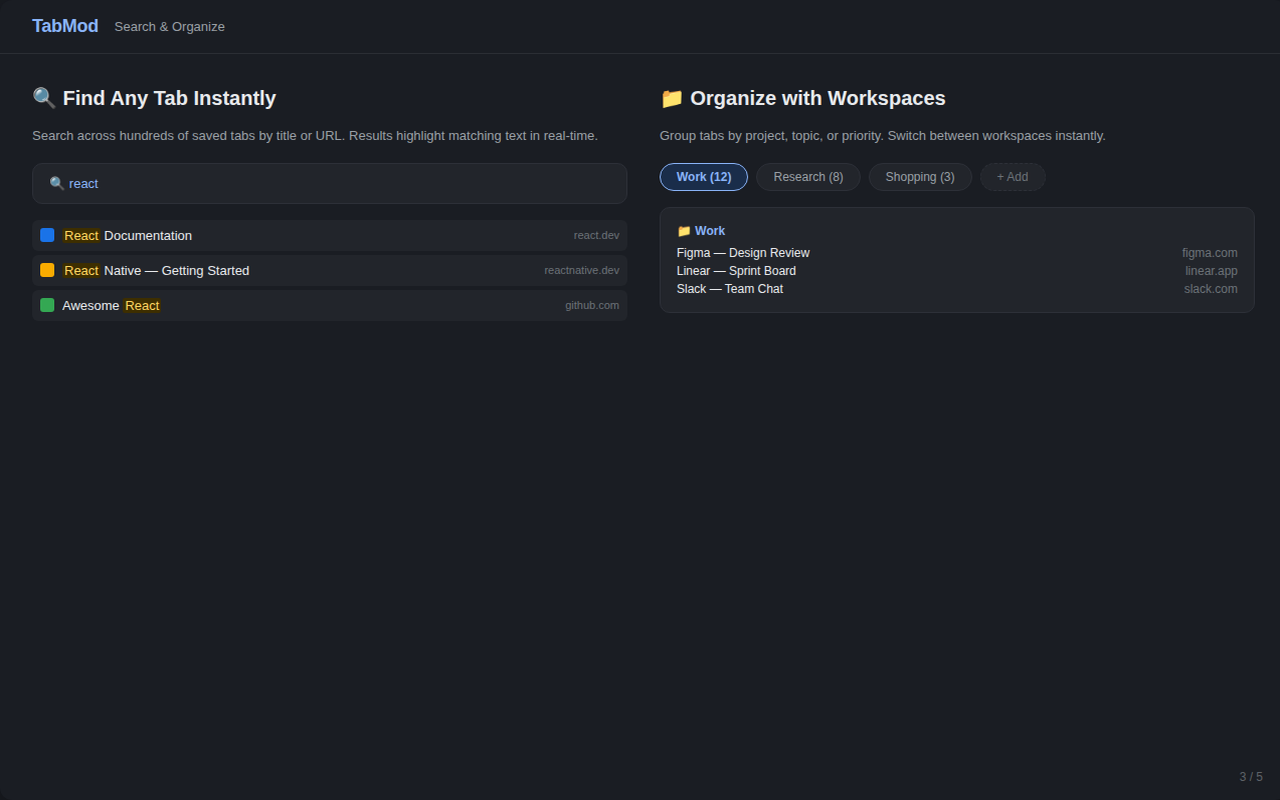
◈ Instant search

Find any tab you ever saved by title or URL, in milliseconds, with real-time highlighting. Stop scrolling through hundreds of bookmarks.

◆ Workspaces & crash recovery

Group tabs by project — Work, Research, Reading. Sessions survive browser crashes and restarts, so a reboot never costs you a window full of tabs.

● Export anything

Your data leaves with you: JSON, Markdown, or native Chrome bookmarks. No lock-in, no proprietary format.

◐ Light & dark theme

Follows your system preference, or pin it. Easy on the eyes for late-night research sessions.

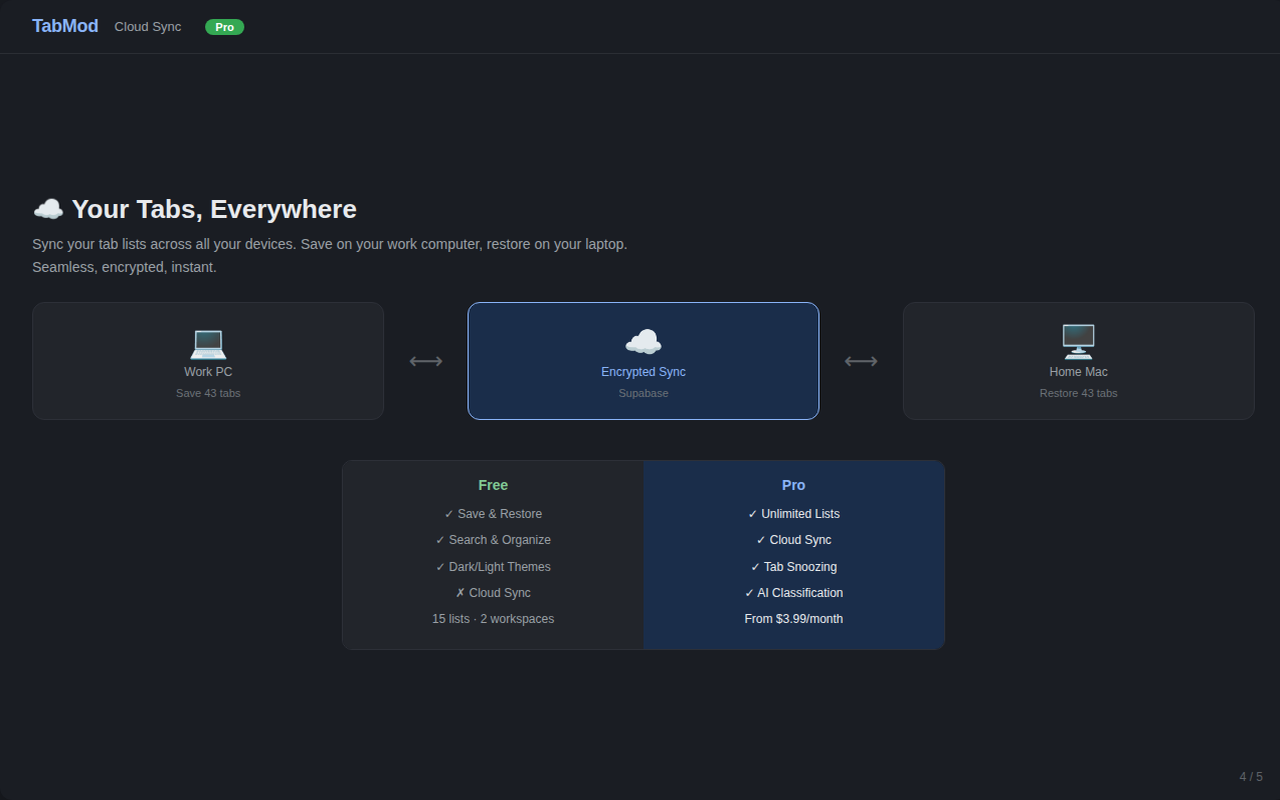
✦ Optional cloud sync

Turn it on and your saved tabs follow you between work PC, home laptop, and Mac. Off by default — nothing leaves your computer until you ask.

Screenshots

Real UI, no mockups. Five views: saving, searching, organizing, syncing, and the full feature set.

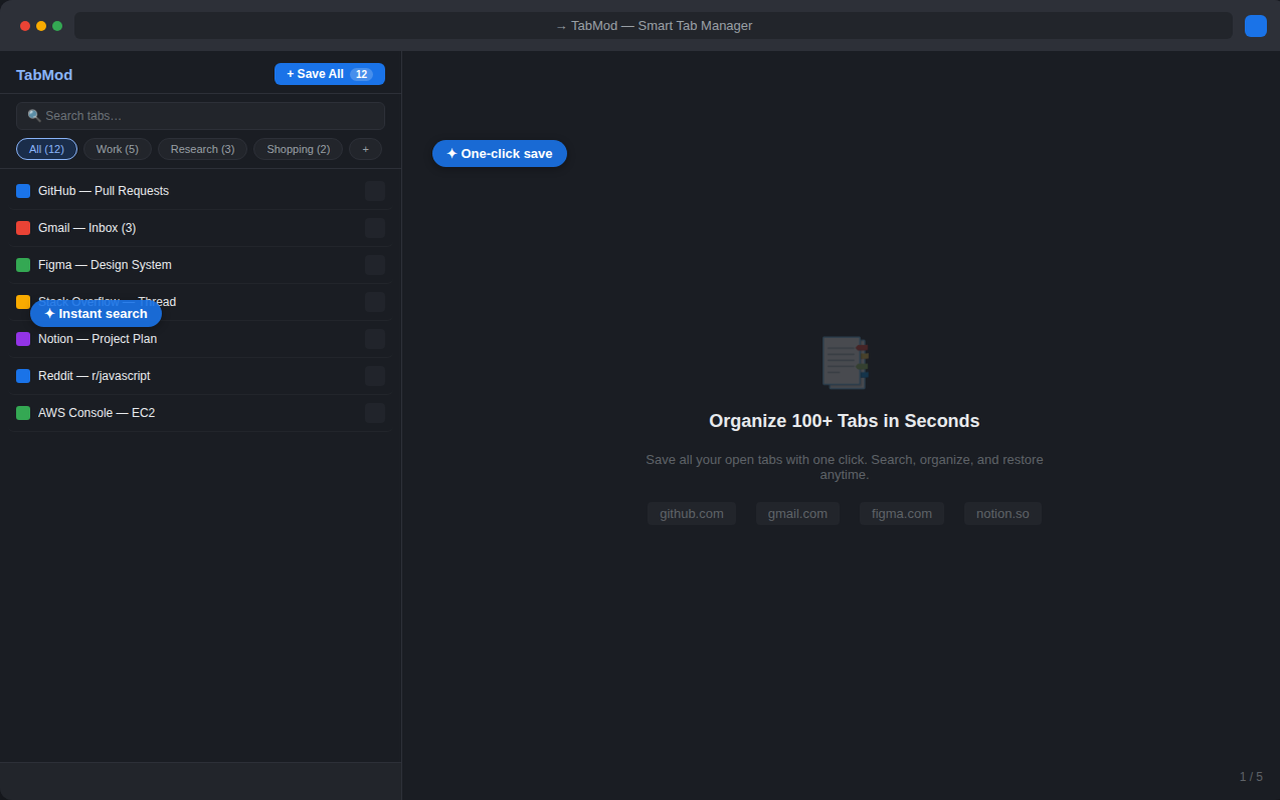
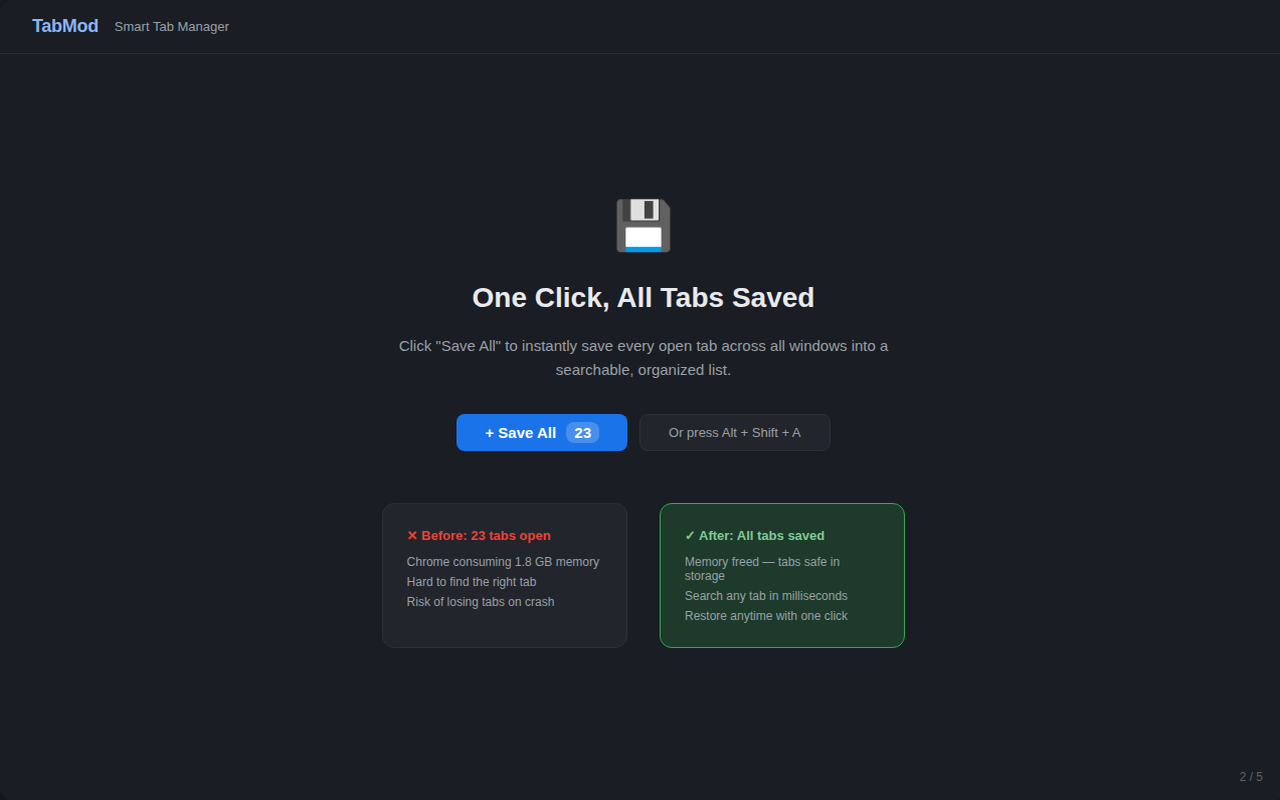
Saving all open tabs in one click with TabMod
Save All — every window, one click, memory released.
Searching saved tabs by title and URL in TabMod
Search — find a saved tab by title or URL instantly.
TabMod optional cloud sync across devices
Sync — optional, account-based, off until you enable it.
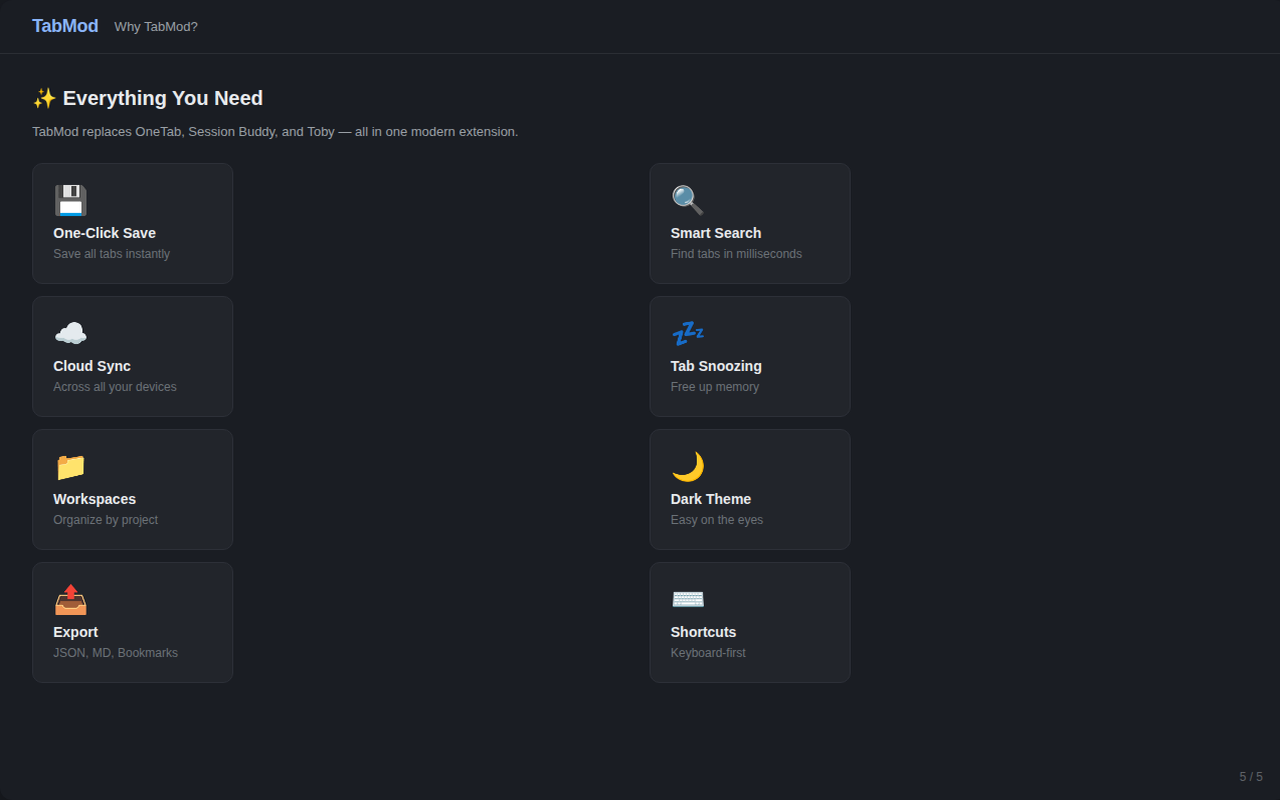
TabMod full feature overview
Features — workspaces, export, themes, and more.
TabMod main popup interface
Main view — saved lists and workspaces at a glance.

TabMod vs. the usual suspects

If you're coming from OneTab or Session Buddy, this is the short version.

 TabModOneTabSession Buddy
One-click save all✓✓✓
Search saved tabs✓✗✗
Cross-device sync✓ optional✗✗
Crash recovery✓✗✓
Export JSON / Markdown✓✗ (text only)✗ (HTML)
Light & dark theme✓✗✗

Comparison based on publicly available product information as of October 2026. Competitor features change — check their current listings.

Pricing

The extension is free, and the useful parts always will be. A Pro tier with unlimited everything is in development.

Free forever
$0
no account required
  • One-click save all / save current
  • Instant search across saved tabs
  • Workspaces & folders
  • Export JSON / Markdown / Chrome bookmarks
  • Light & dark theme
  • Optional account-based cloud sync

▶ Add to Chrome

In development
Pro
unlimited workspaces & tab snoozing
  • Unlimited workspaces and tab lists
  • Tab snoozing — discard idle tabs, reload on demand
  • Priority support

Not on sale yet. Install the free version and you'll be notified in-app when Pro launches.

FAQ

The questions people actually ask before installing a tab manager.

Is TabMod a OneTab alternative?

Yes. TabMod does what OneTab does — collapse all your tabs into a saved list with one click — and adds instant search, workspaces, crash recovery, three export formats, and optional cross-device sync.

Does TabMod work offline?

Completely. Every feature except optional cloud sync runs on your device. Nothing is transmitted anywhere until you explicitly enable sync.

Do you track my browsing?

No. There are no analytics scripts, no tracking pixels, and no advertising SDKs. Tab URLs and titles are stored locally in Chrome's sandboxed storage. See the privacy policy for the full detail, including exactly what leaves your device if you enable sync.

How do I restore tabs after a browser crash?

TabMod saves sessions as you work. After a crash or restart, open the popup and restore the most recent snapshot — whole windows, individual lists, or single tabs.

How heavy is it?

The current build is about 44 KB and uses a minimal permission set (tabs, storage, alarms, context menus). No background network calls unless you turn on sync.

Is there a Pro plan?

A Pro tier (unlimited workspaces, tab snoozing) is in development and not on sale yet. The free version is not time-limited and includes all core features.
Stop losing windows full of tabs

Free, 44 KB, privacy-first. Install it in ten seconds and save your first session before the next reboot.

▶ Add to Chrome — Free